

What’s New in Microsoft 365 – March 2026
Wednesday, March 11, 2026
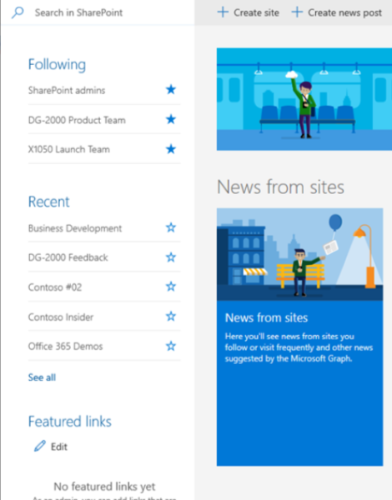
Microsoft SharePoint: Retirement of Featured Links on the Start Page
Beginning in early March, Microsoft will retire the Featured Links feature on the SharePoint Start Page due to low usage. Once removed, existing Featured Links will no longer appear on the SharePoint Start Page or in the SharePoint mobile app. The retirement will roll out gradually and is expected to be completed by late June 2026.
Microsoft Defender: End of Support for Android 10
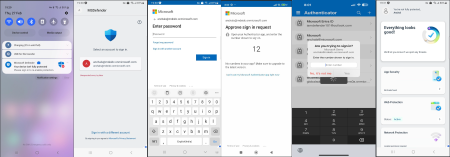
Support for Microsoft Defender on devices running Android 10 will end on March 31, 2026. After this date, the app will continue to function on Android 10 devices but will no longer receive new features, security updates or technical support.
Devices running Android 11 or later will continue to receive full protection and updates. Users with Android 10 devices should check for available system updates.
Microsoft Teams (Mobile): Choose How Links Open
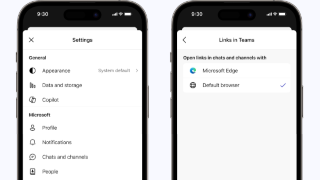
Microsoft Teams on mobile devices now allows users to choose how certain links open when tapped in chats or channels. For non-Office and PDF links, users may see a prompt asking them to select a browser, such as Microsoft Edge or another browser installed on their device.
Once selected, the chosen browser will open those links going forward, and the preference can be changed anytime in the Links in Teams setting within the Teams mobile app.
Microsoft Teams: Simplified App Bar Experience
Beginning in mid-March, Microsoft Teams will introduce a simplified app bar designed to create a cleaner and more focused workspace. The updated layout reduces visual clutter and makes it easier to find commonly used apps and features.
Apps that do not appear on the main bar will move to a streamlined View more apps
menu, and users will have the option to show or hide the app bar to create additional
screen space. 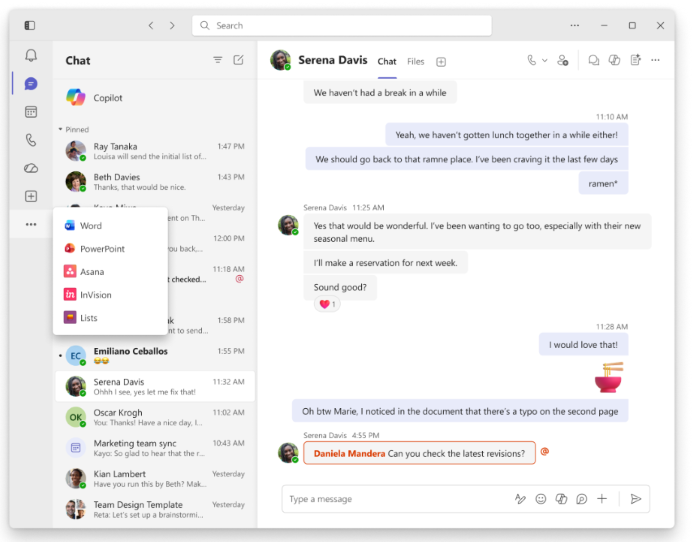
Microsoft SharePoint: New Page Templates and Improved Creation Experience
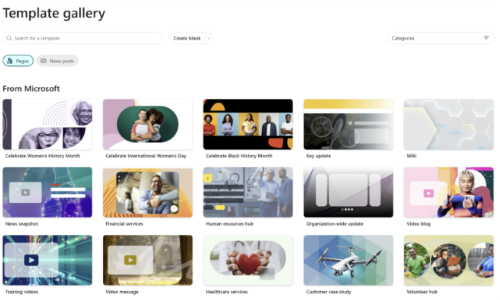
Microsoft is rolling out improvements to the page template gallery in SharePoint along with 31 new templates designed to make it easier to create pages and news posts. The updated gallery includes improved browsing, filtering and search tools to help users quickly find templates for common communication needs such as announcements, storytelling, video and news.
When creating a new page or news post, users will now see the template gallery instead of starting with a blank page. Templates can be filtered by category or searched directly, and selected templates will automatically open in the correct format. The feature will be enabled automatically and requires no action from users.
Microsoft Teams: Meeting Notes Now Available for Instant Meetings
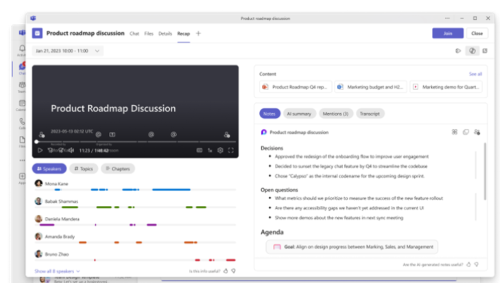
Beginning in April, Microsoft Teams will introduce meeting notes for instant meetings, such as those started with Meet Now or from a chat. Powered by Microsoft Loop, these collaborative notes allow participants to create agendas, capture notes and assign action items during a meeting.
Meeting notes can be added directly from the meeting controls and remain synchronized for everyone involved. Tasks created in the notes can connect with Microsoft Planner and To Do, and the notes will remain accessible after the meeting in the Recap tab. This feature will be enabled automatically and requires no action from users.
Looking Ahead
Microsoft 365 updates will continue throughout 2026, with new enhancements expected through the spring semester.
Microsoft 365 Copilot: Create SharePoint News from Copilot Pages (May)
Beginning in late May, Microsoft 365 Copilot will allow users to move content created in Copilot Pages directly into a SharePoint News post for further editing and publishing. This new option helps streamline the process of turning ideas or drafts created with Copilot into formal news content on SharePoint sites.
When selected, the SharePoint option will open the Copilot content in the SharePoint News editor, where users can continue refining and publishing the post. The feature will be enabled automatically and will follow existing SharePoint permissions and publishing settings. No action is required.
Microsoft Teams: Recording Expiration Emails Being Retired (June)
Beginning June 1, 2026, Microsoft Teams will stop sending email notifications when meeting recordings are approaching expiration. This change is intended to reduce unnecessary notification emails while keeping the existing recording expiration and deletion policies unchanged.
Recordings will continue to expire and be deleted according to the University’s retention settings, but users will no longer receive reminder emails about upcoming expiration dates. No action is required.
Categories: Science and Technology